

Monitor production Logs
Evaluators on Humanloop enable you to continuously measure the performance of your Prompts in production. Attach online Evaluators to your Prompts, and Humanloop will automatically run them on new Logs. You can then track the performance of your Prompts over time.
Prerequisites
- You have a Prompt receiving Logs. If not, please follow our Prompt creation guide first.
- You have an online Evaluator. The example “Factuality” Evaluator is an online Evaluator that comes pre-configured with your organization.
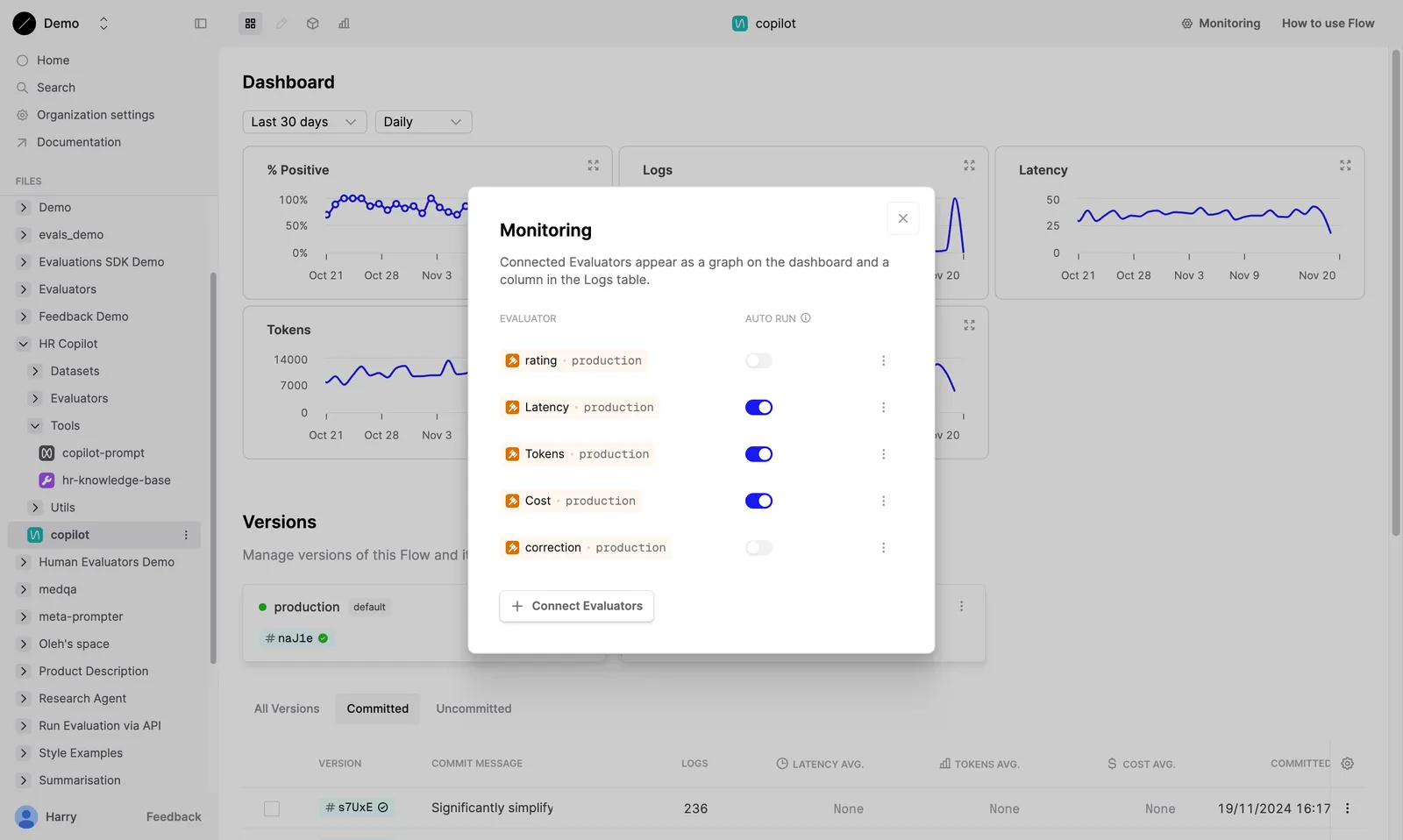
Attach Evaluator to your Prompt
Attach the online Evaluator to your Prompt. Humanloop will automatically run the Evaluator on new Logs generated by your Prompt.
View Evaluator results
Humanloop will run the Evaluators on the new Logs as they are generated.
Graphs over time
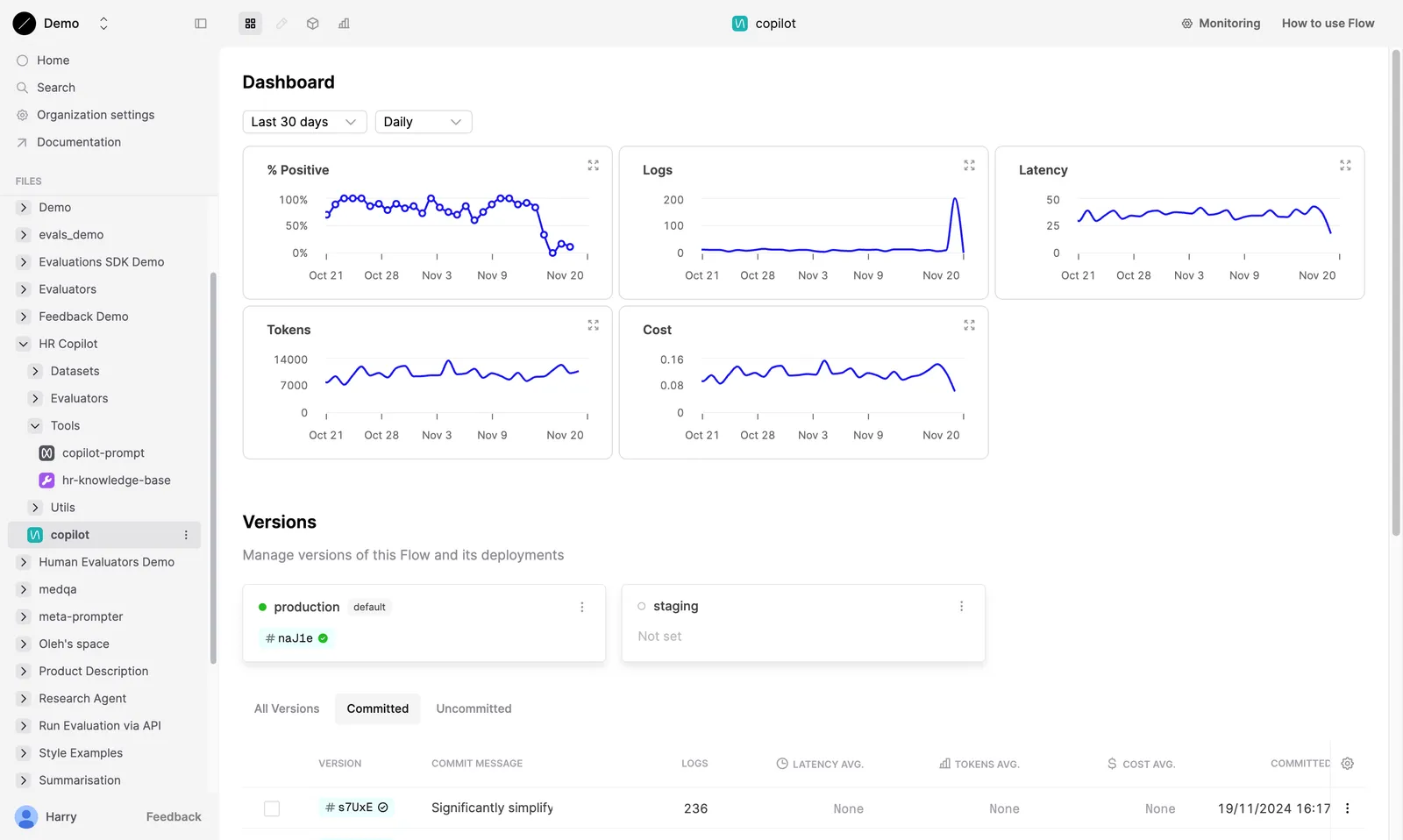
Evaluator results are summarized in the Dashboard tab. Here, Humanloop displays the average Evaluator results over time. You can toggle the period and time resolution covered by the graphs to see how your Prompt has performed over time.
Filtering Logs
To investigate specific Logs, go to the Logs tab. Here, you can see the Evaluator results for each Log generated by your Prompt. The Evaluator you attached above will have a column in the Logs table showing the results of the Evaluator.
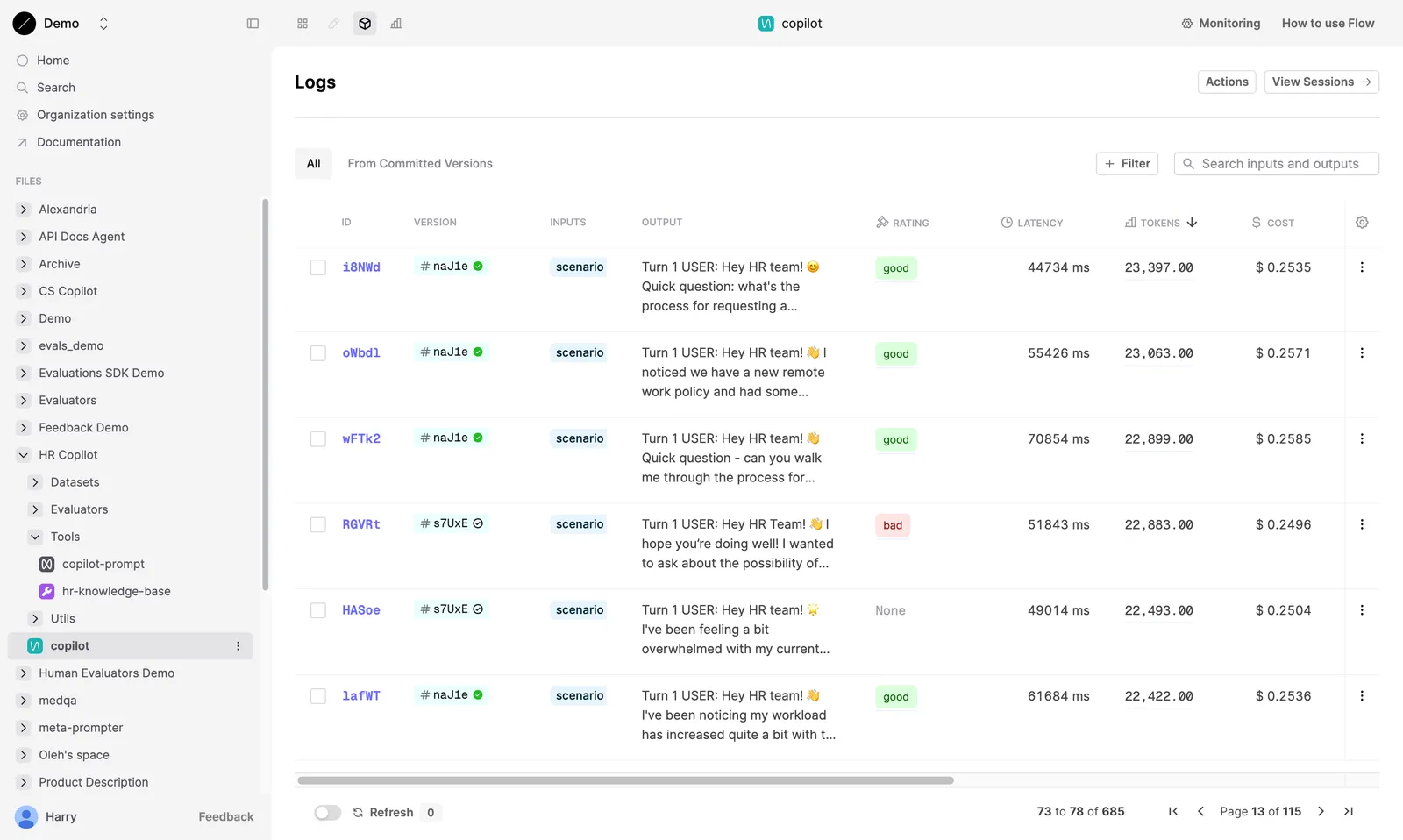
You can filter the Logs table by the Evaluator results. Click on the column header to sort the table by the Evaluator results.
For Evaluators with options (i.e. those with a return type of select or multi_select), you can filter the table by the applied options.
Re-evaluating modified Logs
Monitoring evaluators re-run on patched Logs and on Flow or Agent Logs when new Logs are added to their trace. This ensures the judgments always reflect the state of the Log.
Next steps
- Iterate on your Prompt based on the Evaluator results. You can open specific Logs in the Editor to tweak and test new Prompt versions.
- Add Logs of interest to a Dataset to use in an Evaluation.