

Datasets
Datasets are collections of Datapoints used for evaluation and fine-tuning.
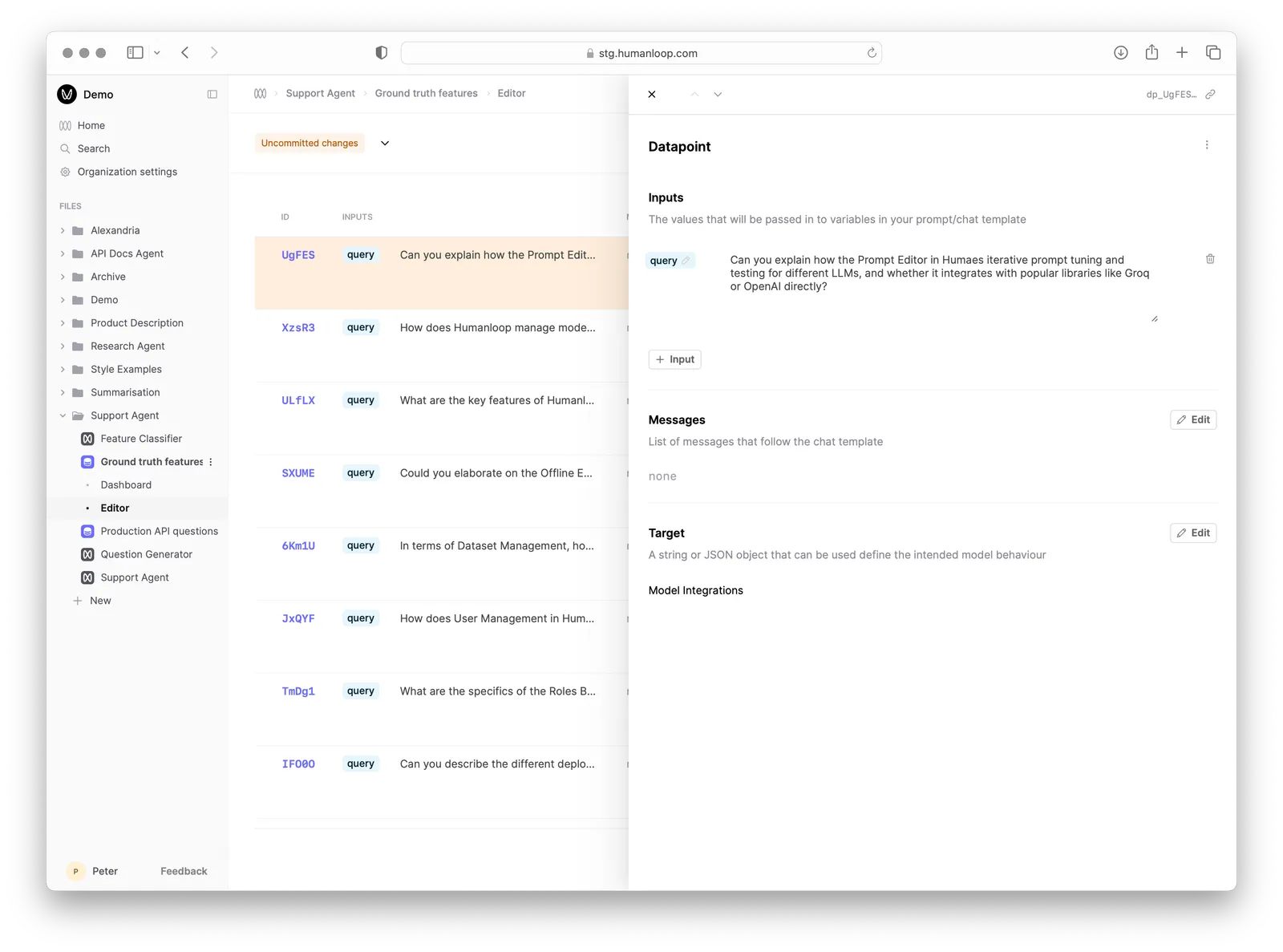
Datasets on Humanloop are collections of Datapoints used for evaluation and fine-tuning. You can think of a Datapoint as a test case for your AI application, which contains the following fields:
- Inputs: a collection of prompt variable values that replace the
{{variables}}defined in your prompt template during generation. - Messages: for chat models, you can have a history of chat messages that are appended to the prompt during generation.
- Target: a value that in its simplest form describes the desired output string for the given inputs and messages history. For more advanced use cases, you can define a JSON object containing whatever fields are necessary to evaluate the model’s output.
Versioning
A Dataset will have multiple Versions as you iterate on the test cases for your task. This tends to be an evolving process as you learn how your Prompts behave and how users interact with your AI application in the wild.
Dataset Versions are immutable and are uniquely defined by the contents of the Datapoints. When you change, add, or remove Datapoints, this constitutes a new Version.
Each Evaluation is linked to a specific Dataset Version, ensuring that your evaluation results are always traceable to the exact set of test cases used.
Creating a Dataset
A Dataset can be created in the following ways:
Using Datasets for Evaluations
Datasets are foundational for Evaluations on Humanloop. Evaluations are run by iterating over the Datapoints in a Dataset, generating output from different versions of your AI application for each one. The Datapoints provide the specific test cases to evaluate, with each containing the input variables and optionally a target output that defines the desired behavior. When a target is specified, Evaluators can compare the generated outputs to the targets to assess how well each version performed.