

Observability in Next.js
Add Humanloop observability to a chat agent by calling the tool built with Vercel AI SDK. It builds on the AI SDK’s Next.js example.
Looking for Node.js? See the guide here.
Prerequisites
Account setup
Create a Humanloop Account
-
Create an account or log in to Humanloop
-
Get a Humanloop API key from Organization Settings.
Add an OpenAI API Key
If you’re the first person in your organization, you’ll need to add an API key to a model provider.
- Go to OpenAI and grab an API key.
- In Humanloop Organization Settings set up OpenAI as a model provider.
Using the Prompt Editor will use your OpenAI credits in the same way that the OpenAI playground does. Keep your API keys for Humanloop and the model providers private.
Create project
Create a new Next.js project. This command will create a new directory named my-ai-app
and set up a basic Next.js application inside of it.
Navigate to the newly created directory:
Install dependencies
To follow this guide, you’ll also need Node.js 18+ installed on your machine.
Install ai, ‘@ai-sdk/react’, and @ai-sdk/openai, along with other necessary dependencies.
Configure API keys
Add a .env.local file to your project with your Humanloop and OpenAI API keys.
Full code
If you’d like to immediately try out the full example, you can copy and paste the code below and run the app.
Setup
Backend Route Handler
UI
Create the agent
Create a Route Handler
We start with a backend route that handles a chat request and streams back a response from a model. This model can call a function to get the weather in a given location.
Wire up the UI
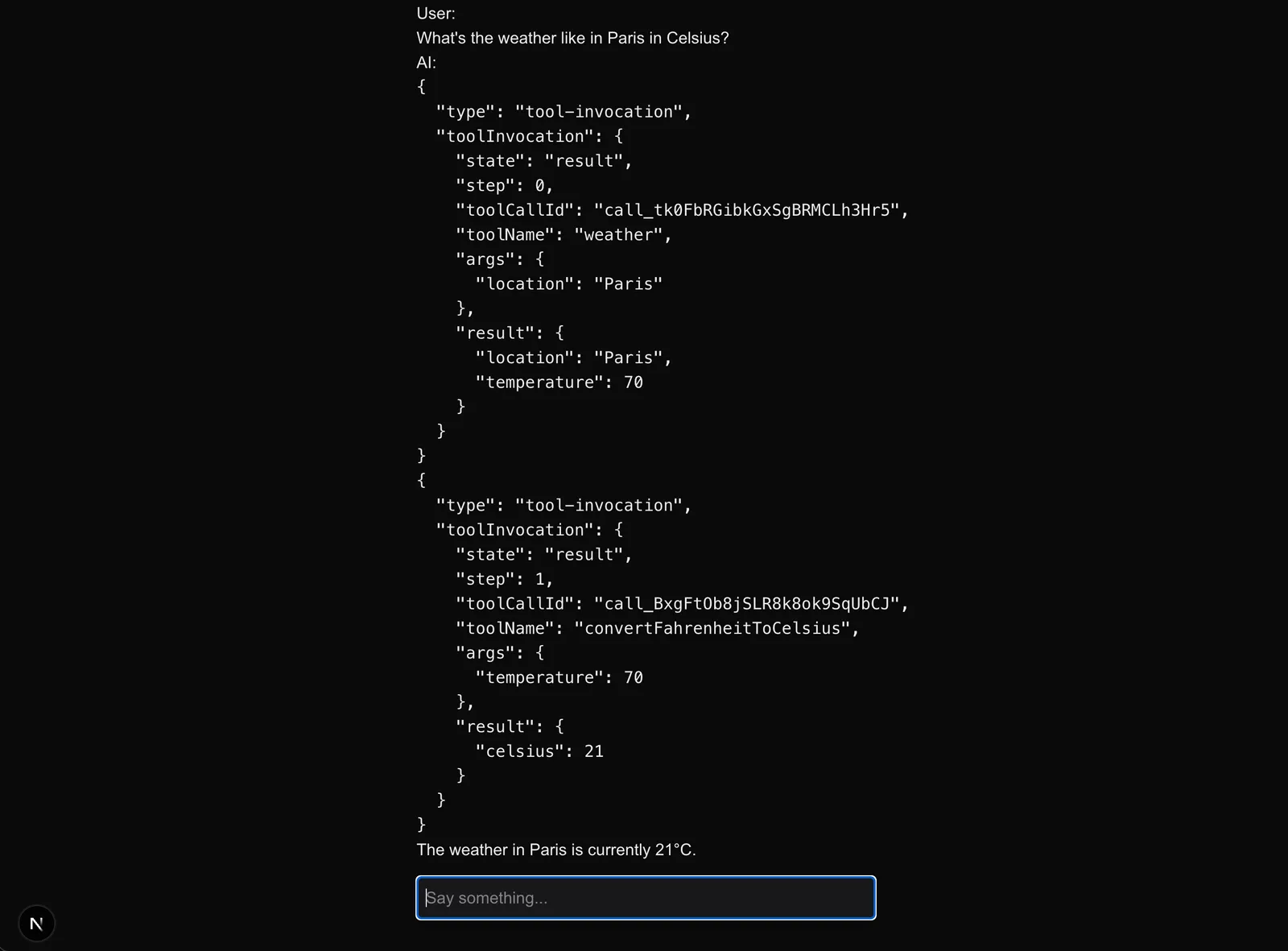
Now that you have a Route Handler that can query an LLM, it’s time to setup your frontend. The AI SDK’s UI package abstracts the complexity of a chat interface into one hook, useChat.
Update your root page to show a chat interface and provide a user message input.
The maxSteps prop allows the model to take multiple “steps” for a given
generation, using tool calls to refine its response.
Log to Humanloop
The agent works and is capable of function calling. However, we rely on inputs and outputs to reason about the behavior.
Humanloop logging allows you to observe the steps taken by the agent, which we will demonstrate below.
We’ll use Vercel AI SDK’s built-in OpenTelemetry tracing to log to Humanloop.
Set up OpenTelemetry
Install dependencies.
Create a file called instrumentation.ts in your root or /src directory and add the following code:
Configure the OpenTelemetry exporter to forward logs to Humanloop.
Trace AI SDK calls
The telemetry metadata associates Logs with your Files on Humanloop.
We will use a Humanloop Prompt to log LLM calls, and a Humanloop Flow to group related generation calls into a trace.
The humanloop.directoryPath specifies the path to a Directory where your Files and Logs will be located.
Restart your app, and have a conversation with the agent.
Explore logs on Humanloop
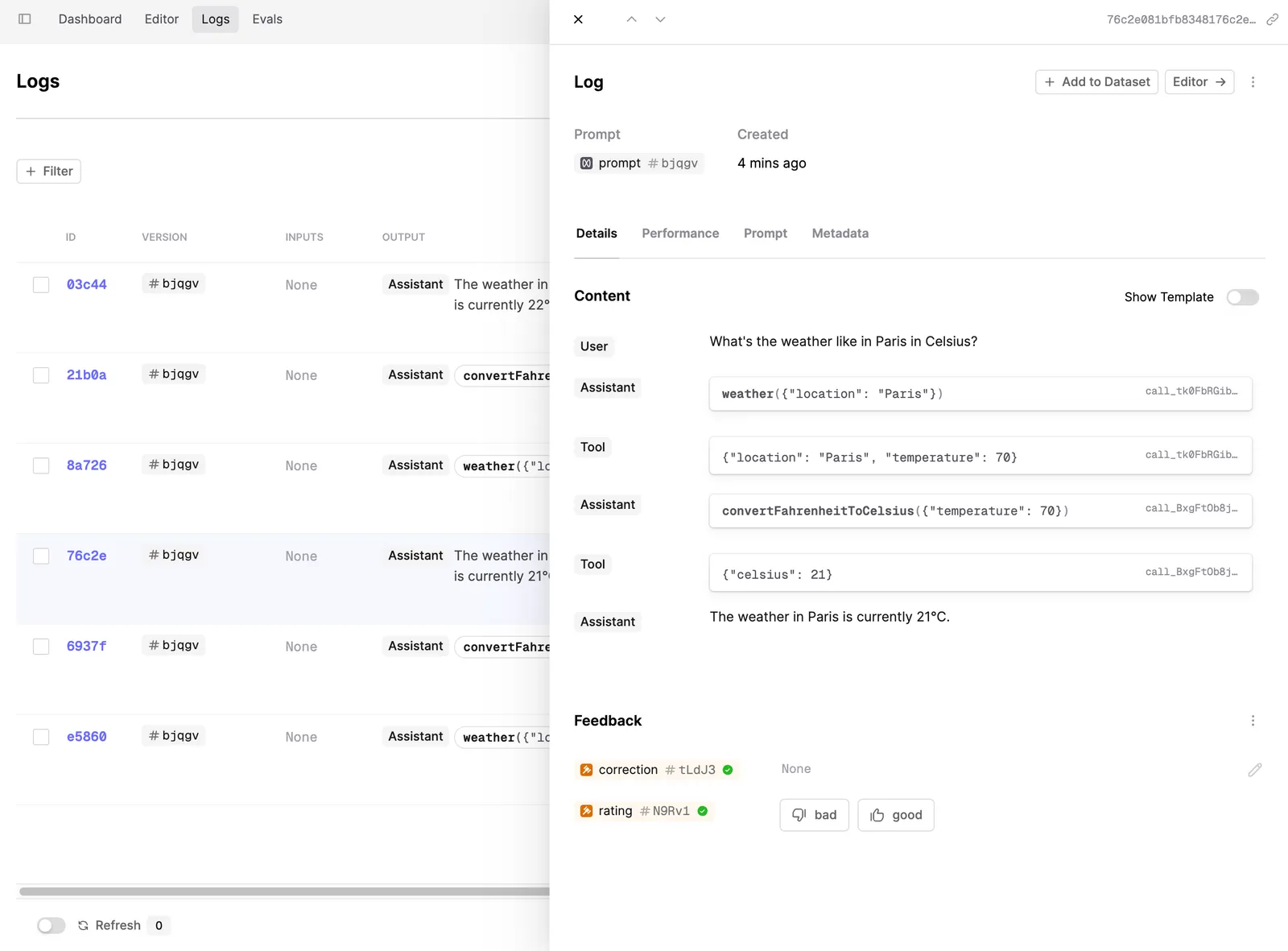
Now you can explore your logs on the Humanloop platform, and see the steps taken by the agent during your conversation.
Debugging
If you run into any issues, add OpenTelemetry debug logging to ensure the Exporter is working correctly.
Next steps
Logging is the first step to observing your AI product. Read these guides to learn more about evals on Humanloop:
-
Add monitoring Evaluators to evaluate Logs as they’re made against a File.
-
See evals in action in our tutorial on evaluating an agent.