For AI agents: a documentation index is available at the root level at /llms.txt and /llms-full.txt. Append /llms.txt to any URL for a page-level index, or .md for the markdown version of any page.
Sign inBook a demo
DocsReferenceChangelog
  • Getting Started
    • Overview
    • Quickstart
  • Explanation
    • Integrating Humanloop
  • Tutorials
    • Evaluate an Agent in the UI
    • Evaluate an Agent in code
    • Evaluate a RAG app
    • Capture user feedback
  • How-To Guides
    • Migrating from Humanloop
      • Run an Evaluation via the UI
      • Run an Evaluation via the API
      • Upload a Dataset from CSV
      • Create a Dataset via the API
      • Create a Dataset from existing Logs
      • Set up a code Evaluator
      • Set up LLM as a Judge
      • Set up a Human Evaluator
      • Run a Human Evaluation
      • Manage multiple reviewers
      • Compare and Debug Prompts
      • Set up CI/CD Evaluations
      • Spot-check your Logs
      • Use external Evaluators
      • Evaluate external logs
  • Reference
    • Deployment Options
    • Supported Models
    • Template Library
    • Vercel AI SDK
    • .prompt and .agent Files
    • Humanloop Runtime Environment
    • Security and Compliance
    • Data Management
    • Access roles (RBACs)
    • SSO and Authentication
    • LLMs.txt
LogoLogo
Sign inBook a demo
On this page
  • Creating a Human Evaluator
  • Next steps
How-To GuidesEvaluation

Set up a Human Evaluator

In this guide we will show how to create and use a Human Evaluator in Humanloop
Was this page helpful?
Previous

Run a Human Evaluation

Collect judgments from subject-matter experts (SMEs) to better understand the quality of your AI product.

Next
Built with

Human Evaluators allow your subject-matter experts and end-users to provide feedback on Prompt Logs. These Evaluators can be attached to Prompts and Evaluations.

Creating a Human Evaluator

This section will bring you through creating and setting up a Human Evaluator. As an example, we’ll use a “Tone” Evaluator that allows feedback to be provided by selecting from a list of options.

1

Create a new Evaluator

  • Click the New button at the bottom of the left-hand sidebar, select Evaluator, then select Human.
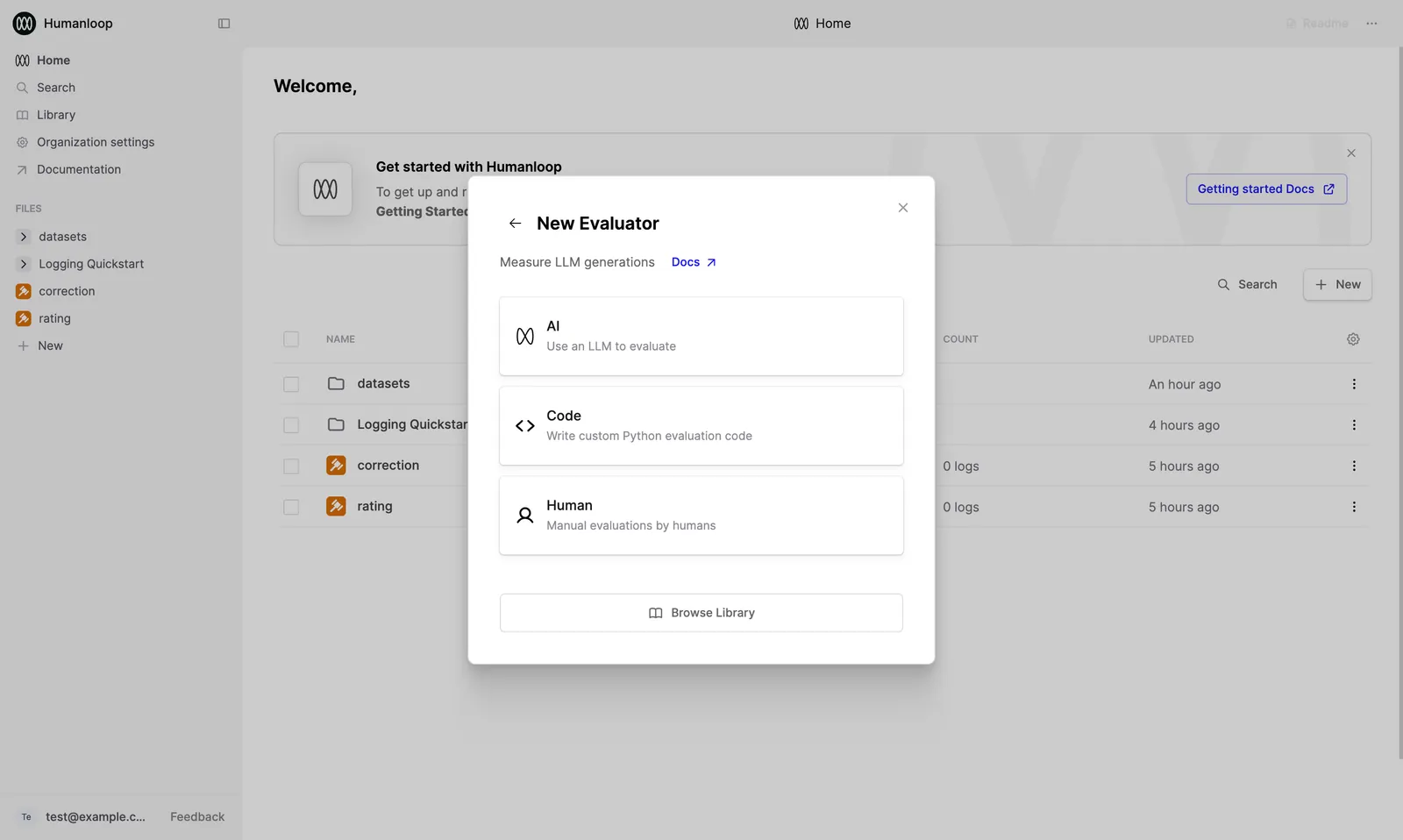
New Evaluator dialog

  • Give the Evaluator a name when prompted in the sidebar, for example “Tone”.
Created Human Evaluator being renamed to "Tone"

2

Define the Judgment Schema

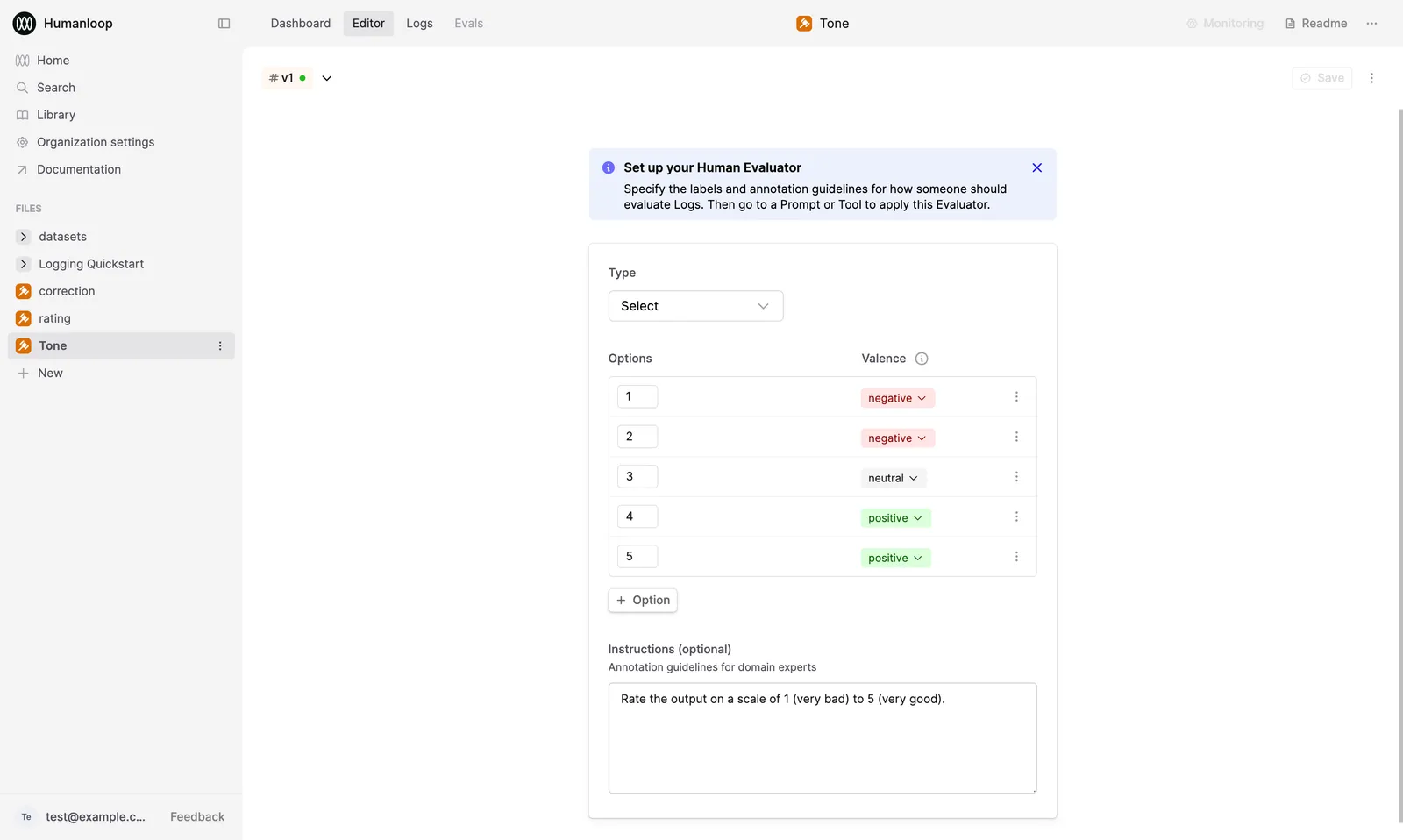
After creating the Evaluator, you will automatically be taken to the Editor. Here, you can define the schema detailing the kinds of judgments to be applied for the Evaluator. The Evaluator will be initialized to a 5-point rating scale by default.

In this example, we’ll set up a feedback schema for a “Tone” Evaluator. See the Return types documentation for more information on return types.

  • Select Multi-select within the Return type dropdown. “Multi-select” allows you to apply multiple options to a single Log.
  • Add the following options, and set the valence for each:
    • Enthusiastic [positive]
    • Informative [postiive]
    • Repetitive [negative]
    • Technical [negative]
  • Update the instructions to “Select all options that apply to the output.”
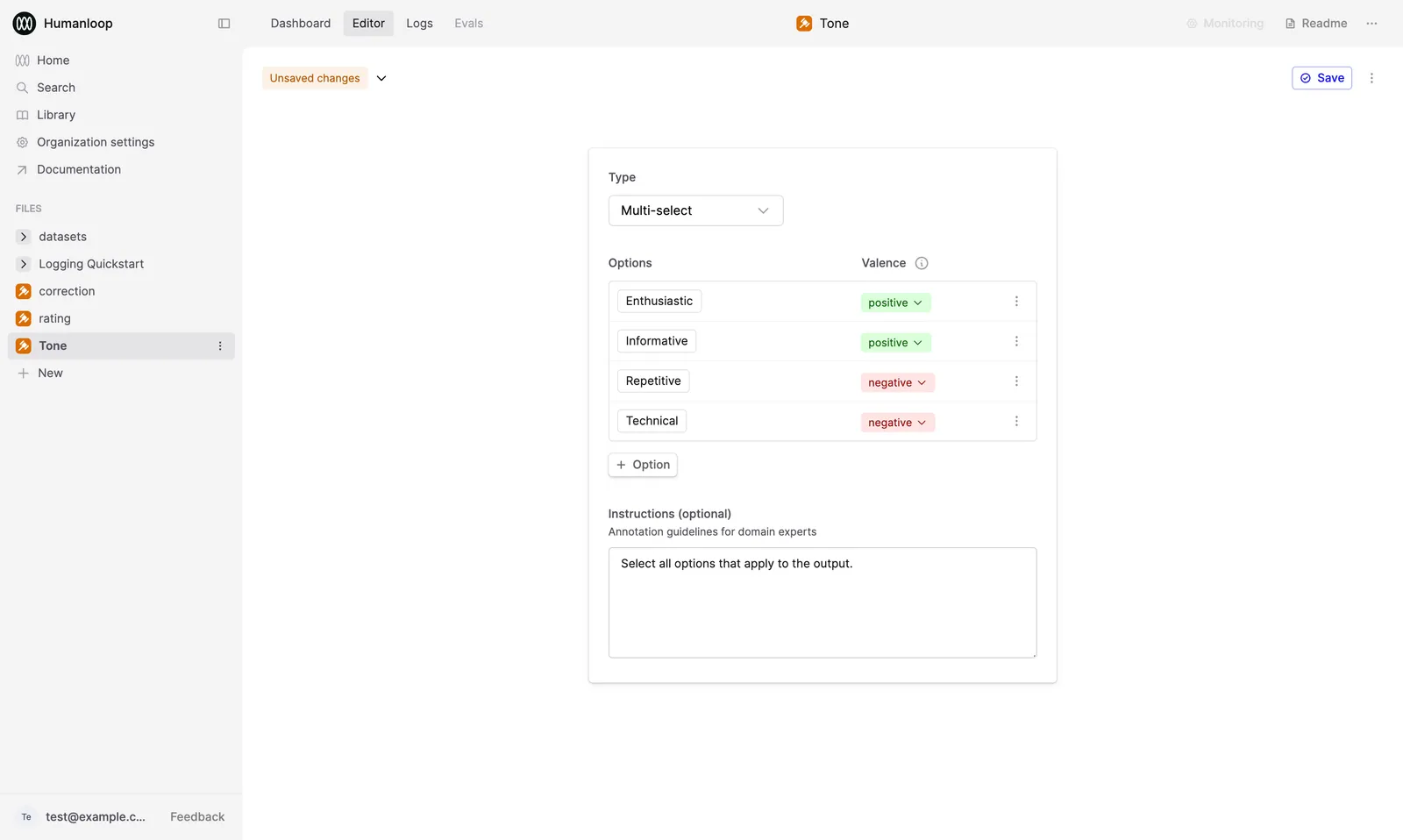
Tone evaluator set up with options and instructions

3

Save and deploy the Evaluator

  • Click Save in the top-right corner.
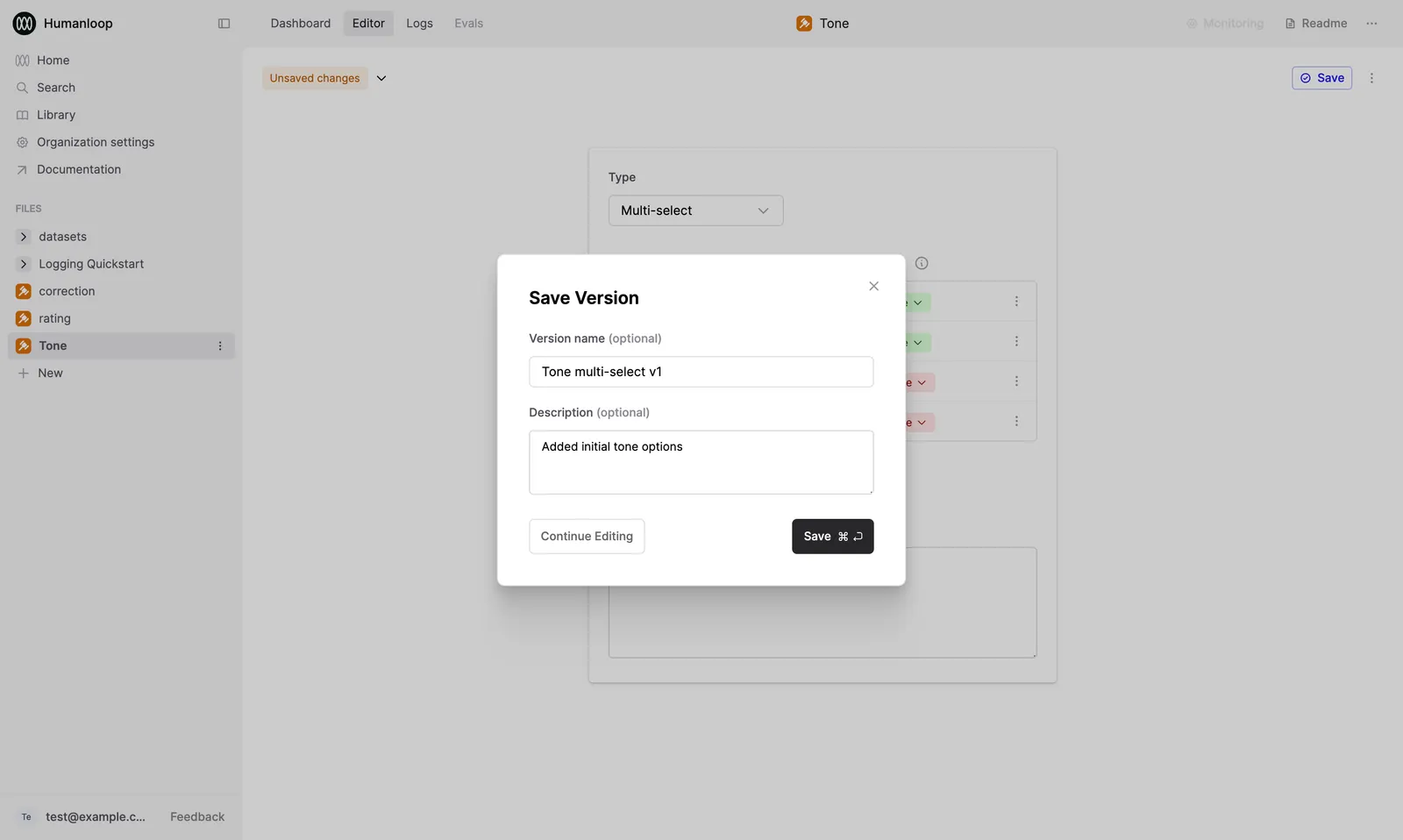
  • Enter “Tone multi-select v1” for the version name and “Added initial tone options” for the description. Click Save.

Save dialog over the "Tone" Evaluator

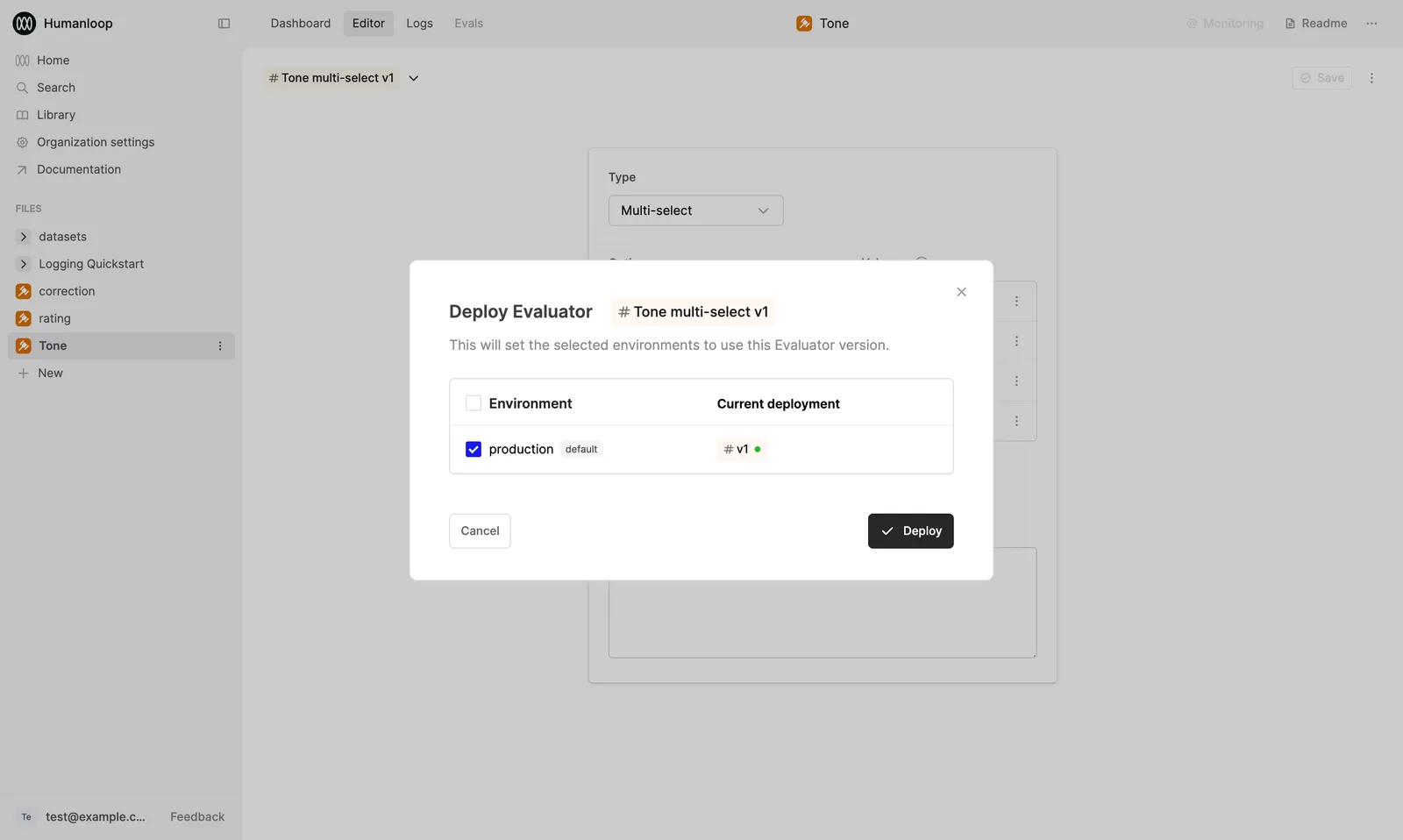
  • Press Deploy in the next dialog.
  • Select your default Environment (usually “production”).
  • Confirm your deployment.

Dialog deploying the "Tone" Evaluator to the "production" Environment

🎉 You’ve now created a Human Evaluator that can be used to collect feedback on Prompt Logs.

Next steps

  • Use Human Evaluators in Evaluations to collect annotations on Prompt Logs from subject-matter experts.
  • Attach Human Evaluators to Prompts to collect end-user feedback