

Evals in code
Prerequisites
Install and initialize the SDK
First you need to install and initialize the SDK. If you have already done this, skip to the next section.
Open up your terminal and follow these steps:
- Install the Humanloop SDK:
- Initialize the SDK with your Humanloop API key (you can get it from the Organization Settings page).
This quickstart will take you through running your first Eval with Humanloop.
You’ll learn how to trigger an evaluation from code, interpret an eval-report on Humanloop and use it to improve your AI features.
Create an evals script
Add the following code in a file:
This sets up the basic structure of an Evaluation:
- A callable function that you want to evaluate. The callable should take your inputs and/or messages and returns a string. The
fileargument defines the callable as well as the location of where the evaluation results will appear on Humanloop. - A test Dataset of inputs and/or messages to run your function over and optional expected targets to evaluate against.
- A set of Evaluators to provide judgments on the output of your function. This example uses default evaluators that come with every Humanloop workspace. Evaluators can also be defined locally and pushed to the Humanloop runtime.
It returns a checks object that contains the results of the eval per Evaluator.
Run your script
Run your script with the following command:
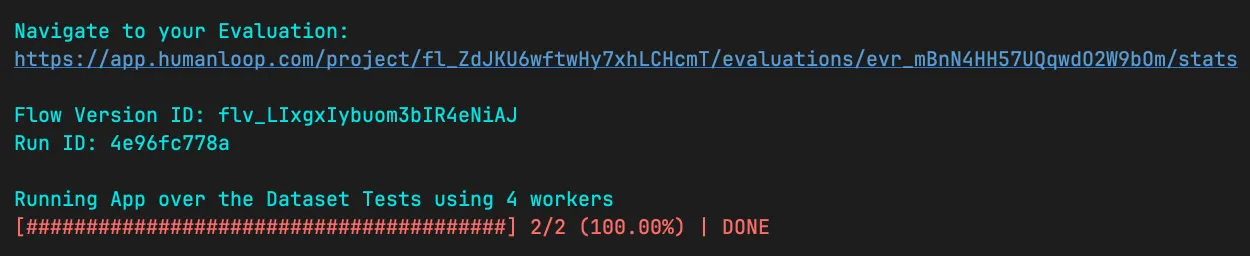
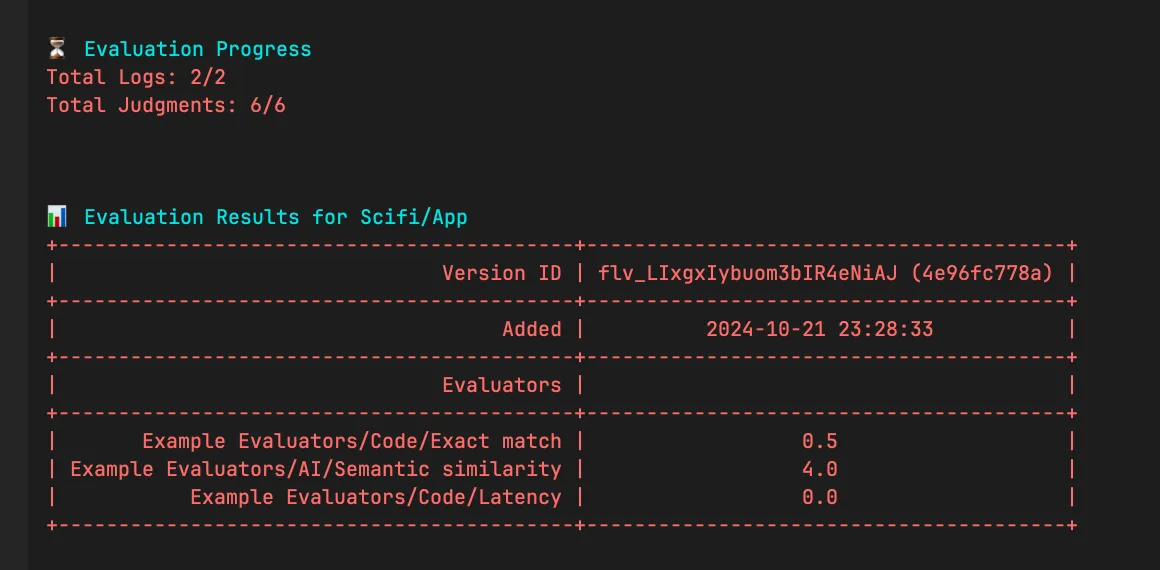
You will see a URL to view your evals on Humanloop. A summary of progress and the final results will be displayed directly in your terminal:
View the results
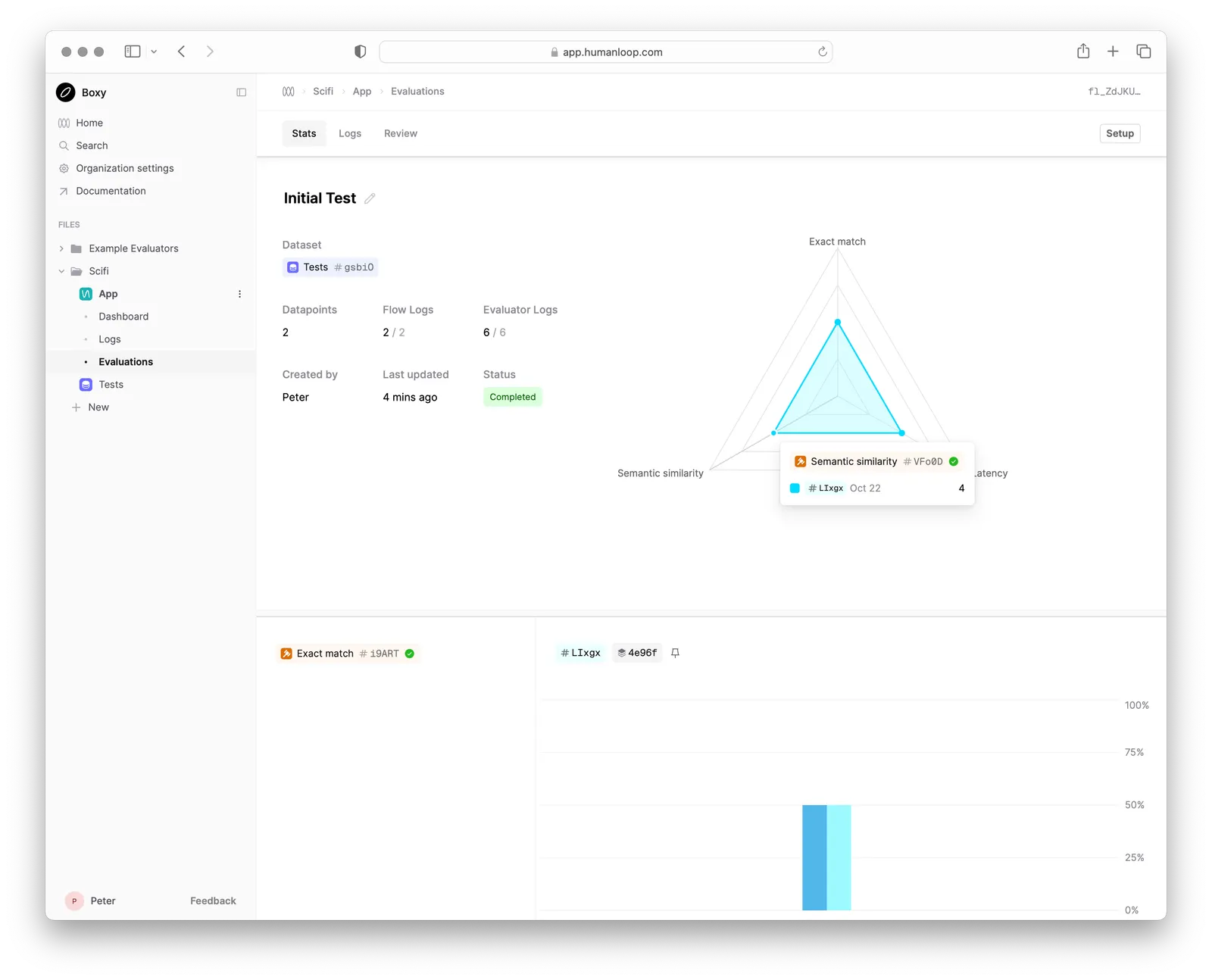
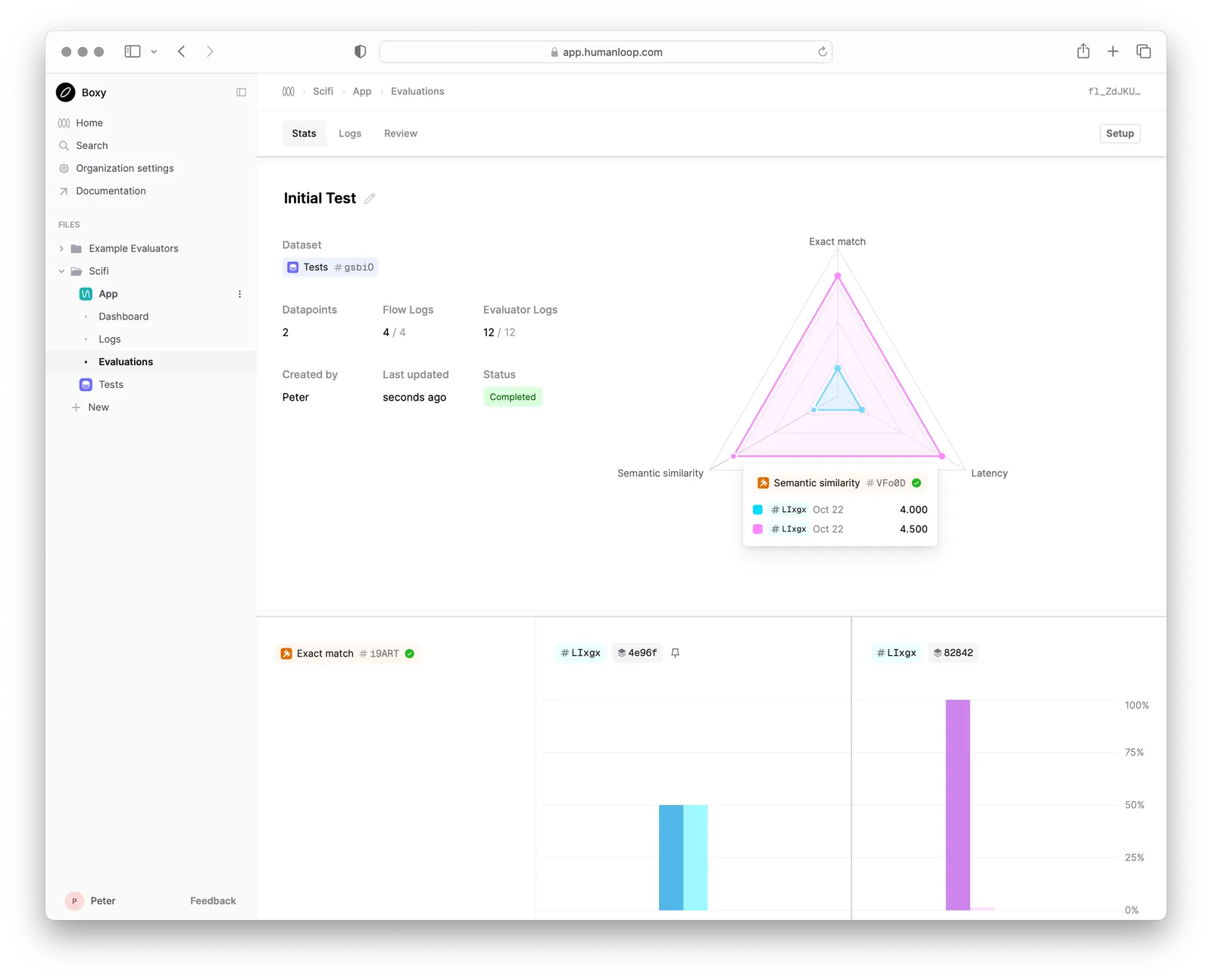
Navigate to the URL provided in your terminal to see the result of running your script on Humanloop.
This Stats view will show you the live progress of your local eval runs as well summary statistics of the final results.
Each new run will add a column to your Stats view, allowing you to compare the performance of your LLM app over time.
The Logs and Review tabs allow you to drill into individual datapoints and view the outputs of different runs side-by-side to understand how to improve your LLM app.
Make a change and re-run
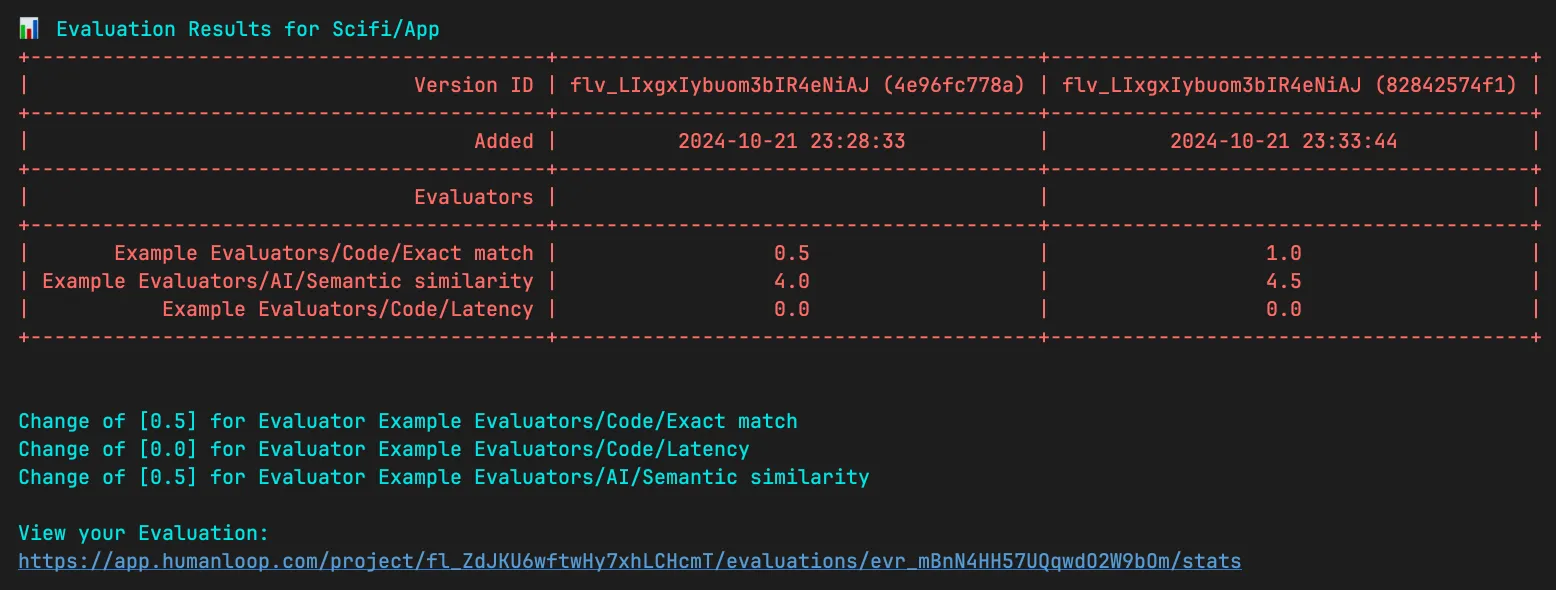
Your first run resulted in a Semantic similarity score of 3 (out of 5) and an Exact match score of 0. Try and make a change to your callable to improve
the output and re-run your script. A second run will be added to your Stats view and the difference in performance will be displayed.
Next steps
Now that you’ve run your first eval on Humanloop, you can:
- Explore our detailed tutorial on evaluating a real RAG app where you’ll learn about versioning your app, customizing logging, adding Evaluator thresholds and more.
- Create your own Dataset of test cases to evaluate your LLM app against.
- Create your own Evaluators to provide judgments on the output of your LLM app.