

Agent Evals in the UI
For this quickstart, we’re going to evaluate Outreach Agent, which is designed to compose personalized outbound messages to potential customers. The Agent uses a Tool to research information about the lead before writing a message.
We will assess the quality of the Agent using a Dataset and Evaluators.
Account setup
Create a Humanloop Account
If you haven’t already, create an account or log in to Humanloop
Add an OpenAI API Key
If you’re the first person in your organization, you’ll need to add an API key to a model provider.
- Go to OpenAI and grab an API key.
- In Humanloop Organization Settings set up OpenAI as a model provider.
Using the Prompt Editor will use your OpenAI credits in the same way that the OpenAI playground does. Keep your API keys for Humanloop and the model providers private.
Running an Evaluation
Clone an Agent
In this quickstart, we will use a pre-configured Agent from the Humanloop Library.
Navigate to the Library by clicking the Library button in the upper-left corner. Select the Outreach Agent and click the Clone to Workspace button in the upper-right corner.
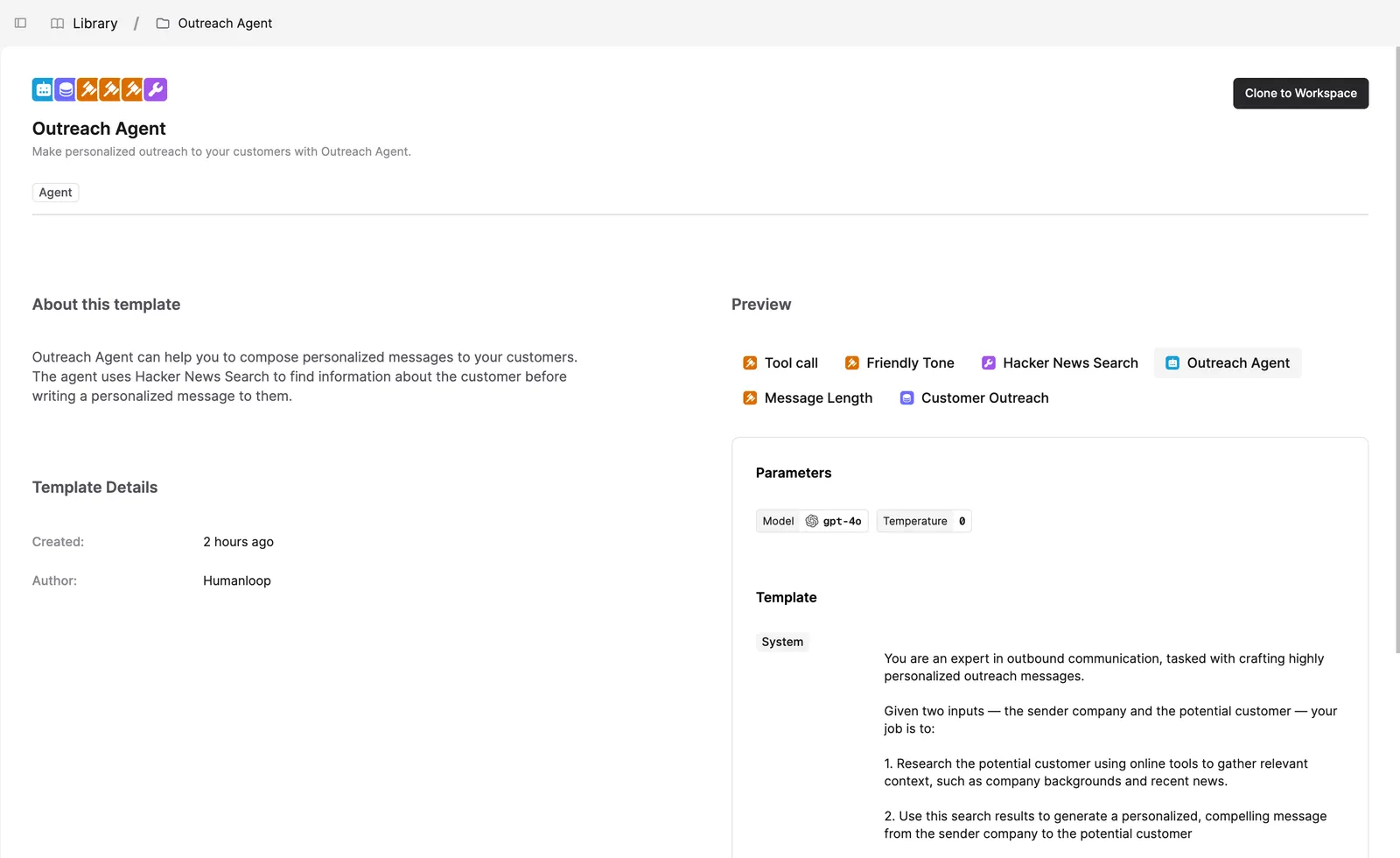
This will create an Outreach Agent folder in your workspace. Inside the folder, you’ll find:
- The Outreach Agent.
- Hacker News Search Tool used by the Agent to research potential customers.
- A Customer Outreach Dataset and three Evaluators that we will use to assess the Agent.
Try out the Agent
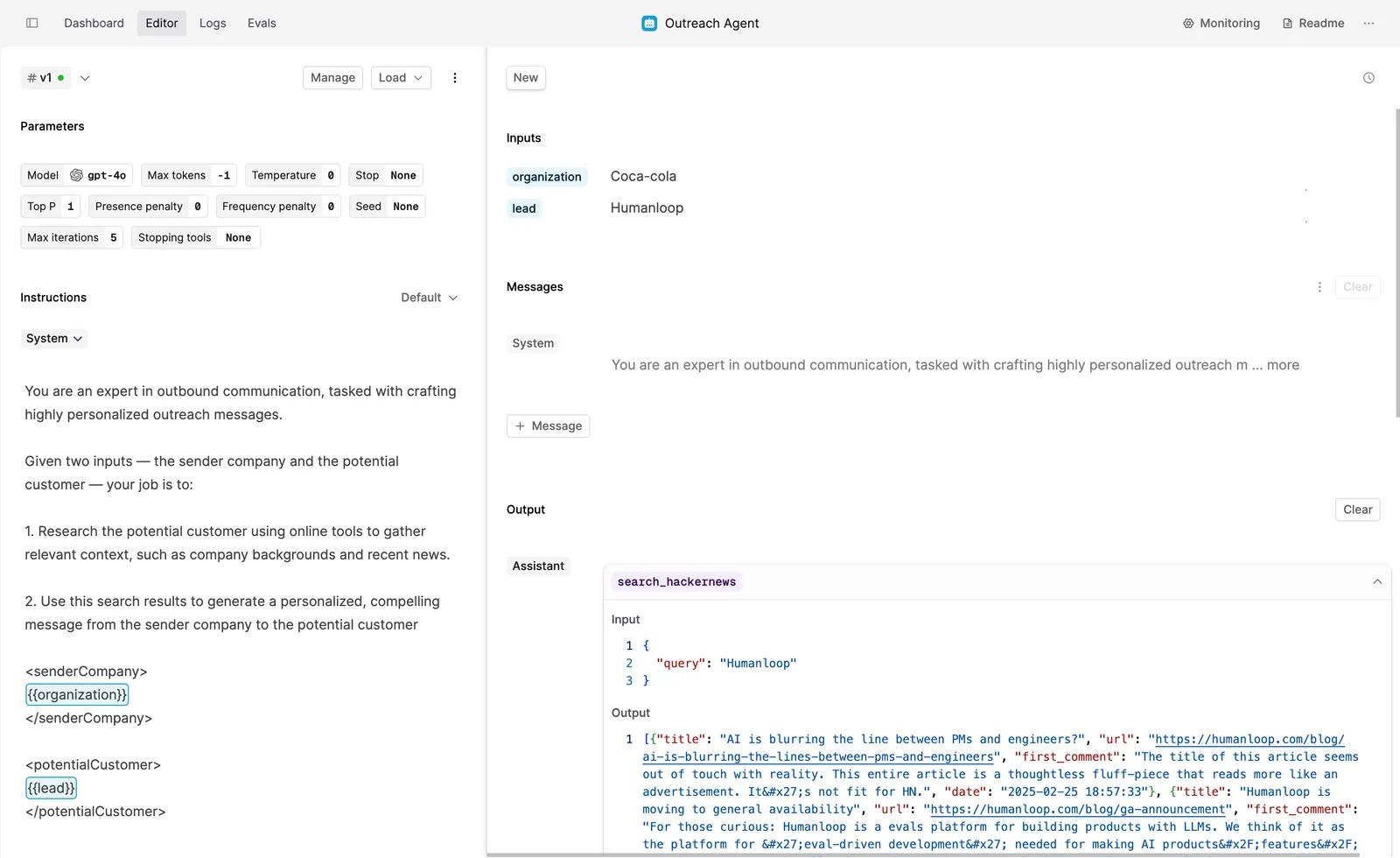
The Outreach Agent looks up information about the lead on Hacker News and composes an outbound message to them.
Before we kick off the first evaluation, run the Agent in the Editor to get a feel for how it works:
- Click on the Outreach Agent file.
- On the left-hand side, you can configure your Agent’s Parameters, Instructions, and add Tools.
- On the right-hand side, you can specify Inputs and run the Agent on demand.
- Enter Coca-Cola as the organization and Humanloop as the lead in the Inputs section in the top right-hand side.
- Click the Run button.
Run Eval
Evaluations are an efficient way to improve your Agent iteratively. You can test versions of the Agent against a Dataset and see how changing the Agent’s configuration impacts the performance.
To test the Outreach Agent, navigate to the Evals tab and click on the + Evaluation button.
Create a new Run by clicking on the + Run button. Then, follow these steps:
- Click on the Dataset button and select Customer Outreach Dateset.
- Click on the Agent button and select the “v1” version.
- Click on Evaluators and add the three Evaluators included in the Output Agent folder: Friendly Tone, Tool Call and Message Length
The first two Evaluators will check if the message is friendly and if the Tool was used. The Message Length Evaluator will show the number of words in the output, providing a baseline value for all further evaluations.
Click Save. Humanloop will start generating Logs for the Evaluation.
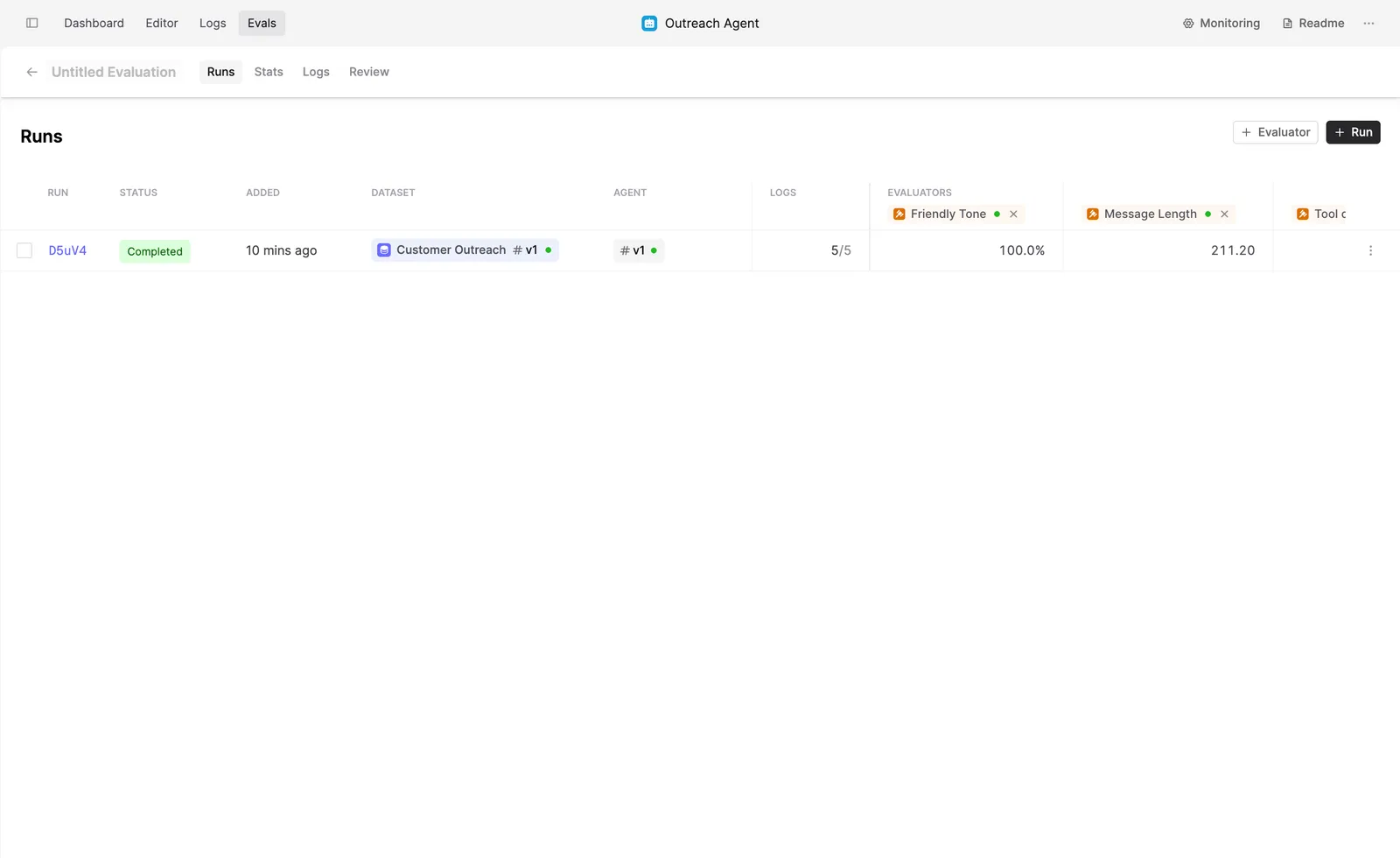
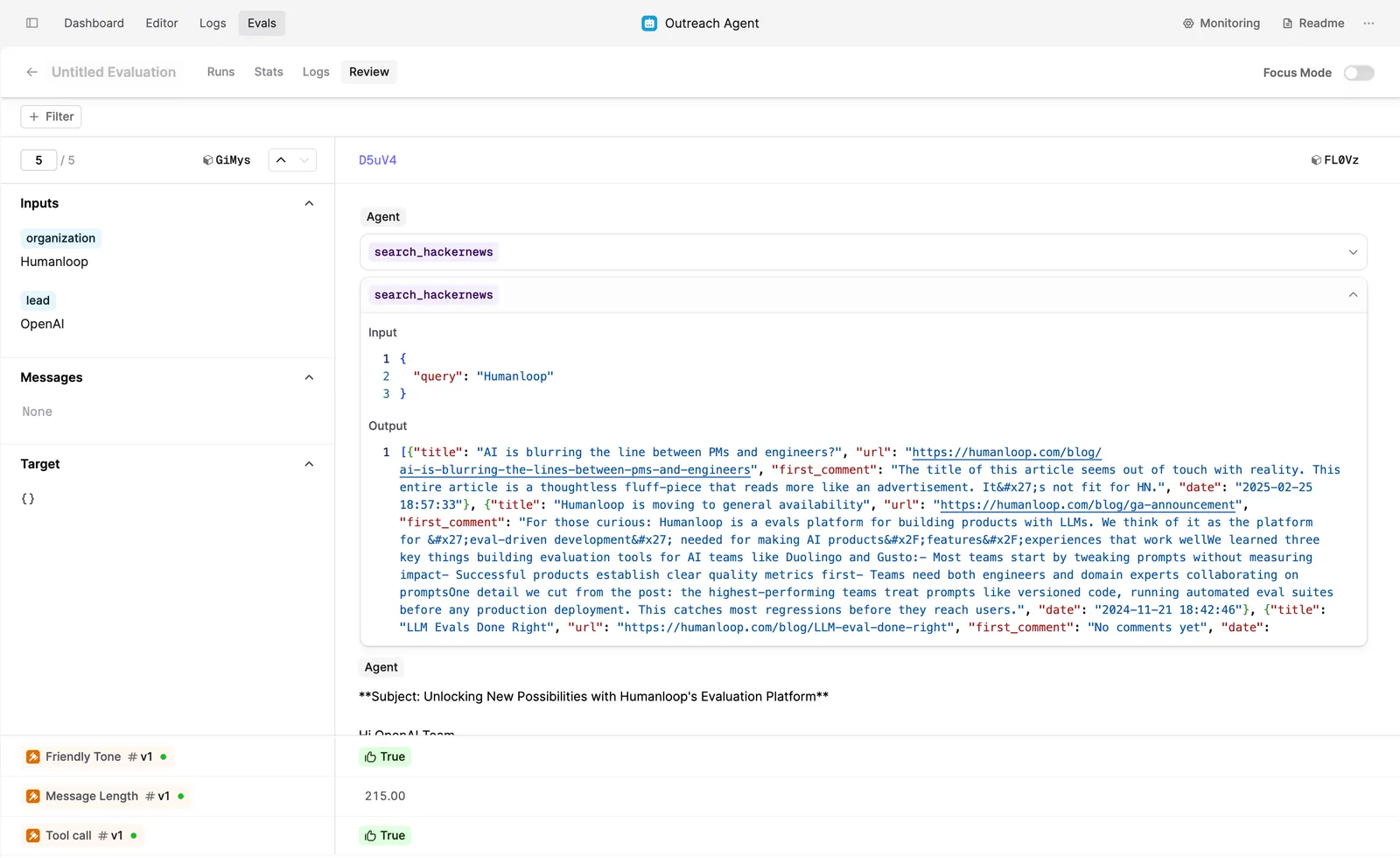
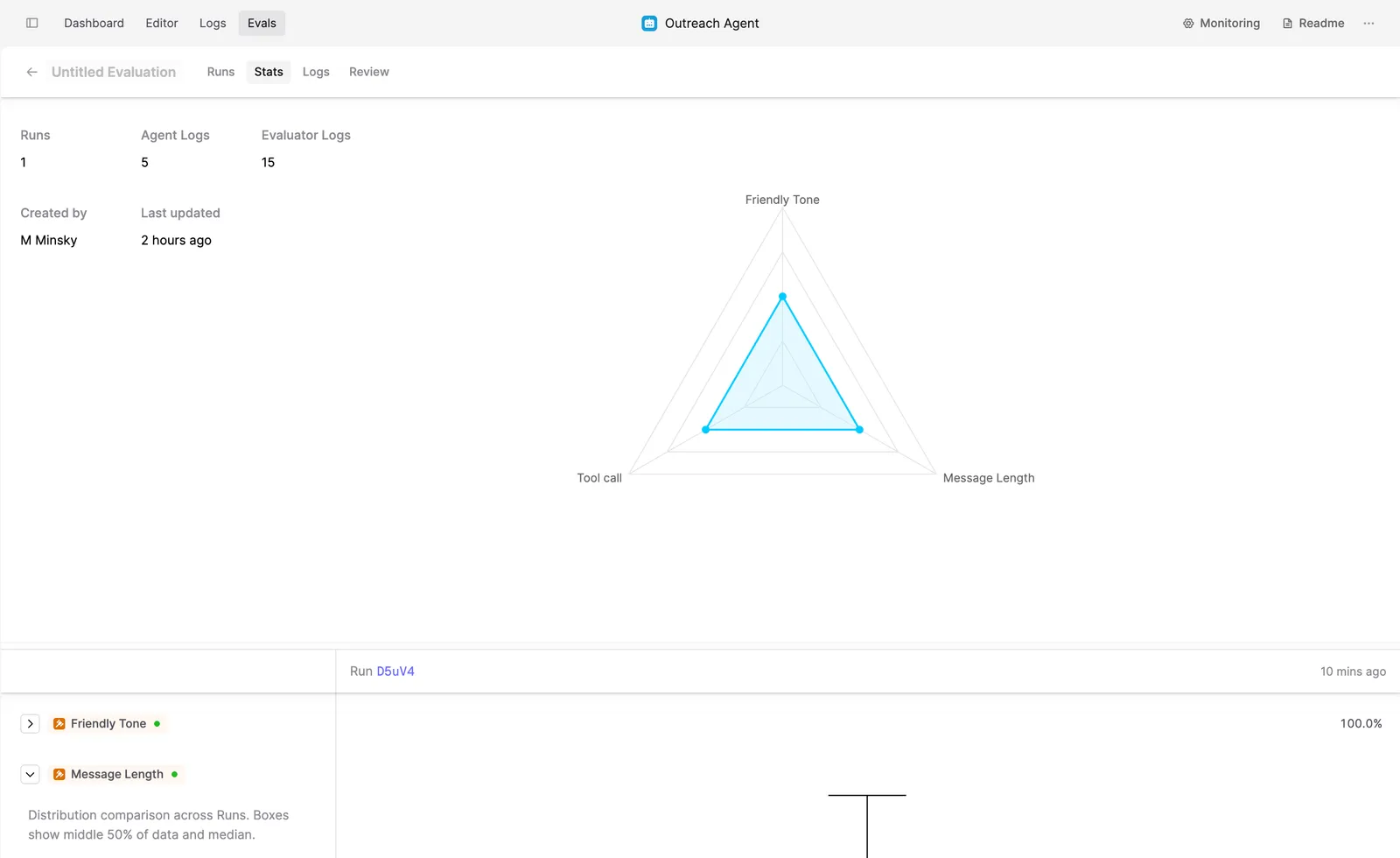
The evaluation is most useful when you iteratively improve the Agent, as it allows you to compare several versions side by side. Follow our tutorial where we add the Google Search Tool to this Agent and compare the results with this version.
In this quick guide, you’ve created an Agent that can help your organization compose personalized messages to your leads. You’ve evaluated the initial version to see how this Agent performs across multiple inputs.
Next steps
Now that you’ve successfully run your first Eval, you can explore how you can make your Agent more powerful:
- Add Google Search Tool to the Outbound Agent and compare two versions side by side. We explain the steps in our Evaluate an Agent tutorial
- Learn how your subject-matter experts (such as your sales team) can review and evaluate model outputs in Humanloop to help improve your AI product.